

Frequently asked questions about Ecosmartportal
The most common questions and answers about installation, languages, content migration, modules, demos and support.

Security and control: roles, approval flows and change logs
Who can see what, and who can publish what? With detailed roles, approval flows and reversible changes, Ecosmartportal keeps your team working safely.

Your data is yours: portal software that runs on your own server
Ecosmartportal is installed on your own server or hosting account. Your content, customer and sales data stay under your control, not on another platform's servers.

Why one panel? The hidden cost of separate tools
Every new tool means another user account, another data silo and another integration job. Ecosmartportal brings content, customers, sales and advertising onto the same database.

Ecosmartportal hakkında sık sorulan sorular
Kurulum, diller, içerik taşıma, modüller, demo ve destek hakkında en çok sorulan sorular ve yanıtları.

Güvenlik ve kontrol: roller, onay akışları ve değişiklik kayıtları
Kim neyi görebilir, kim neyi yayına alabilir? Ecosmartportal ayrıntılı rollerle, onay akışlarıyla ve geri alınabilir değişikliklerle ekibinizi güvenle çalıştırır.

Veriniz sizin: kendi sunucunuzda çalışan portal yazılımı
Ecosmartportal kendi sunucunuza ya da barındırma hesabınıza kurulur. İçerik, müşteri ve satış verileriniz başka bir platformun sunucusunda değil, sizin kontrolünüzde kalır.

Neden tek panel? Ayrı ayrı araçların gizli maliyeti
Her yeni araç bir kullanıcı hesabı, bir veri adası ve bir entegrasyon işi demektir. Ecosmartportal içerik, müşteri, satış ve reklamı aynı veritabanında buluşturur.

Guide: selling digital products and license keys
Create a product with a file, set the download limit and load keys into the pool: once payment is confirmed, the customer gets the file and the key automatically.

Guide: build your own tracking app in the CRM without code
Start from a ready template or add fields from scratch; list and form screens are generated for you, and automations notify you.

Guide: open your ad space for sale with AdManager
Define a placement, put it on your site, open the booking calendar and let advertisers set up their campaigns from their own portal.

Guide: the quote → order → invoice flow in the CRM
Turn a request from your site's form into a deal, the deal into a quote, and the accepted quote into an order and an invoice, all in the same customer record.

Guide: turn a Word file into an article in one click
Upload your reporter's .docx file; the title, subheadings, lists, tables and keywords become an article.

Guide: fetch articles automatically from an RSS feed
Define an agency or institution feed once; new stories arrive as drafts on a schedule, and the same story never arrives twice.

Guide: bulk import articles with a ZIP package
Upload hundreds of articles at once from a ZIP of haber.json and images, with a preview first and the option to undo.

Guide: set up your home page in five minutes with the layout wizard
Pick the ready layout for your sector, preview it, generate it into the library and publish. No code, and your current page stays intact.

Rehber: Dijital ürün ve lisans anahtarı satışı
Dosyalı bir ürün açın, indirme sınırını belirleyin, anahtarları havuza yükleyin: ödeme onaylanınca müşteri dosyasını ve anahtarını kendiliğinden alır.

Rehber: CRM'de kod yazmadan kendi takip uygulamanızı kurun
Hazır bir şablonla başlayın ya da sıfırdan alan ekleyin; liste ve form ekranları kendiliğinden oluşsun, otomasyonla bildirim alın.

Rehber: AdManager ile reklam alanınızı satışa açma
Reklam alanı tanımlayın, siteye yerleştirin, rezervasyon takvimini açın ve reklamverenin kampanyasını kendi panelinden kurmasına izin verin.
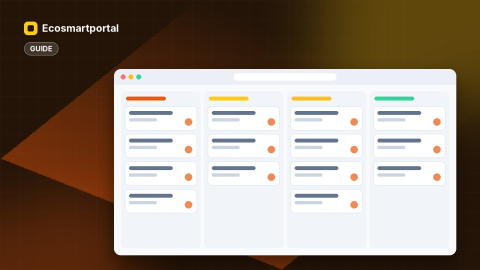
Rehber: CRM'de teklif → sipariş → fatura akışı
Sitedeki formdan gelen talebi fırsata, fırsatı teklife, onaylanan teklifi siparişe ve faturaya dönüştürün; hepsi aynı müşteri kaydında.

Rehber: Word dosyasından tek tıkla haber
Muhabirinizin .docx dosyasını yükleyin; başlık, ara başlıklar, listeler, tablolar ve anahtar kelimeler habere dönüşsün.